Install Template File |
  
|
Install Template File |
|
1.Locate the Word Startup folder, the Startup folder can be found in the following locations:
OS |
Location |
Windows Vista and above |
"C:\Users\<user name>\AppData\Roaming\Microsoft\Word\STARTUP"
|
Windows 2000/XP |
"C:\Documents and Settings\<user name>\Application Data\Microsoft\Word\STARTUP"
|
Windows NT4 |
"C:\Winnt\Profiles\<user name>\Application Data\Microsoft\Word\STARTUP"
|
Windows 95, 98, ME |
Office XP: "C:\Program Files\Microsoft Office\Office10\STARTUP"
Office 2000/97: "C:\Program Files\Microsoft Office\Office\STARTUP" |
2. Copy MW6_Code128.dot to this folder.
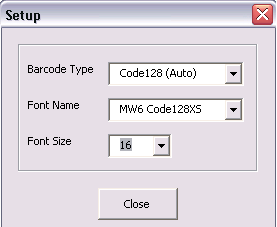
3. Open up Word, click on "Setup".

4. Choose a few appropriate values for barcode type, font name and font size.