Change Settings |
  
|
Change Settings |
|
1.In Excel, open MW6_Code128.XLSM.
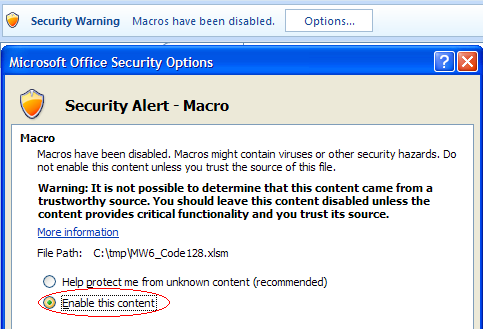
2.If you see "Security Warning, Macros have been disabled", click on "Options" to open "Microsoft Office Security Options" dialog, toggle on "Enable this content" check box.
3.Click on "Developer" > "Macros", select "MW6_Code128_Setup".

4.Choose a few appropriate values for barcode type, font name and font font size, "Column Offset" and "Row Offset" are used to specify the barcode position relative to the position of cell which contains the regular string.