Install Template File |
  
|
Install Template File |
|
1.Locate Microsoft Word Startup folder, which usually is "C:\Documents and Settings\<user name>\Application Data\Microsoft\Word\STARTUP" for Windows XP or "C:\Users\<user name>\AppData\Roaming\Microsoft\Word\STARTUP" for Windows Vista and above.
2.Copy MW6_IT25.dotm to this folder.
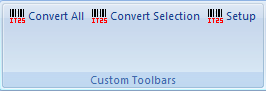
3.Click on "Add-Ins", then click on "Setup".
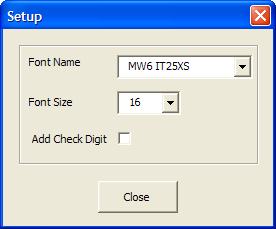
4.Choose 2 appropriate values for font name and font size. Interleaved 2/5 barcode is self-checking, a check digit normally isn't necessary, however, if your application requires an extremely high level of accuracy, a check digit may be added, click on "Add Check Digit" check box.