Access |
  
|
Access |
|
1.Open MW6_DataMatrix_ActiveX.mdb, select "Sample DataMatrix ActiveX Report".
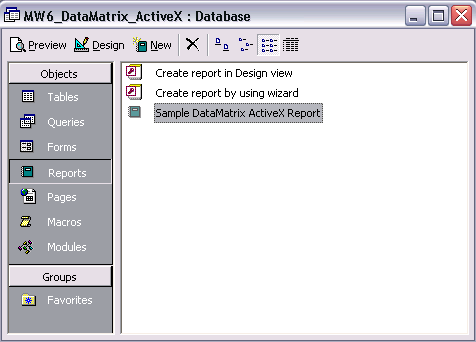
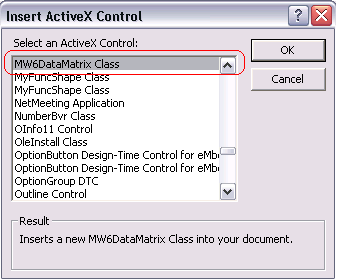
2.Click on "Design", insert a MW6 DataMatrix ActiveX control into the report.
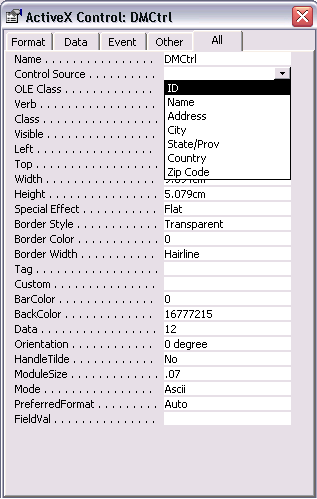
3.Change its properties to meet your application requirements, our DataMatrix ActiveX supports the data binding so you can bind a field in a database to the control and generate DataMatrix barcodes for each data record automatically, there's an arrow on the right side of the "Control Source" property, click on the arrow, a list opens with all fields, select the field you want for the control.
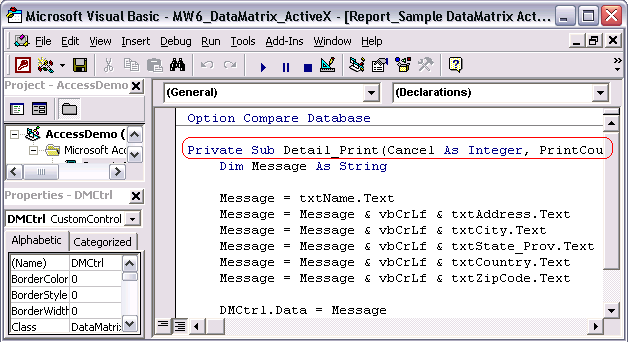
4.If you do not want to use the data binding feature, you can customize "Private Sub Detail_Print(Cancel As Integer, PrintCount As Integer)" to create DataMatrix barcodes dynamically.
5.Click on "Preview" to view DataMatrix barcodes.