Create A New System Bar Code |
  
|
Create A New System Bar Code |
|
Follow the instructions listed below to create a new system bar code:
(1) Start transaction SE73.
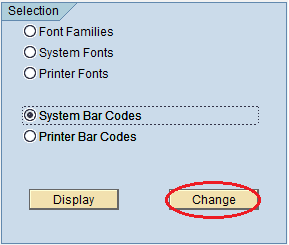
(2) Select "System Bar Codes" > click "Change" button.
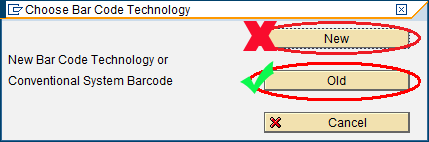
(3) If "Choose Bar Code Technology" window pops up, click "Old" button instead of "New" button. Otherwise ignore this step and go to the step 4.
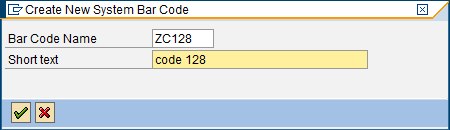
(4) Enter a name into "Bar Code Name" field and a brief description into "Short text" field, the bar code name must begin with Z to avoid the conflict between your bar codes and the SAP bar codes.
(5) Choose the default settings for the remaining dialogs.